Skin not updating?
Reconnect, refresh your Ely.by skin, and check the selected account and model.
Read guide →WISC / SKINS
Import a skin PNG, preview its model, and manage your Ely.by appearance inside the launcher.
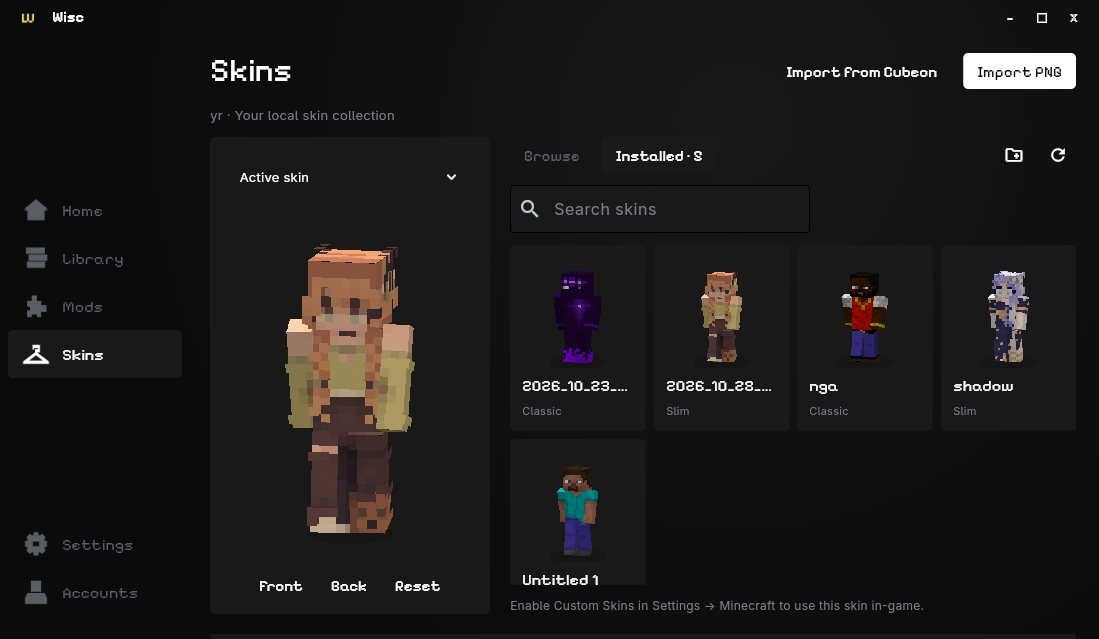
Sign in with Ely.by to unlock skin customization. Open Skins, import a compatible Minecraft skin PNG, and choose the Classic / Steve or Slim / Alex model. Rotate the preview to check its appearance.
Sign in with Ely.by to sync your skin. Wisc caches skin previews locally and includes a Java companion for applying custom skins in-game. Offline username accounts use the default Steve or Alex skins.
Other players’ view of your skin depends on their client and server setup. This page describes skin support; Wisc does not sell cosmetics or provide a paid cape store.
Reconnect, refresh your Ely.by skin, and check the selected account and model.
Read guide →Find settings and skin caches inside Minecraft’s gr8launcher folder.
Read guide →